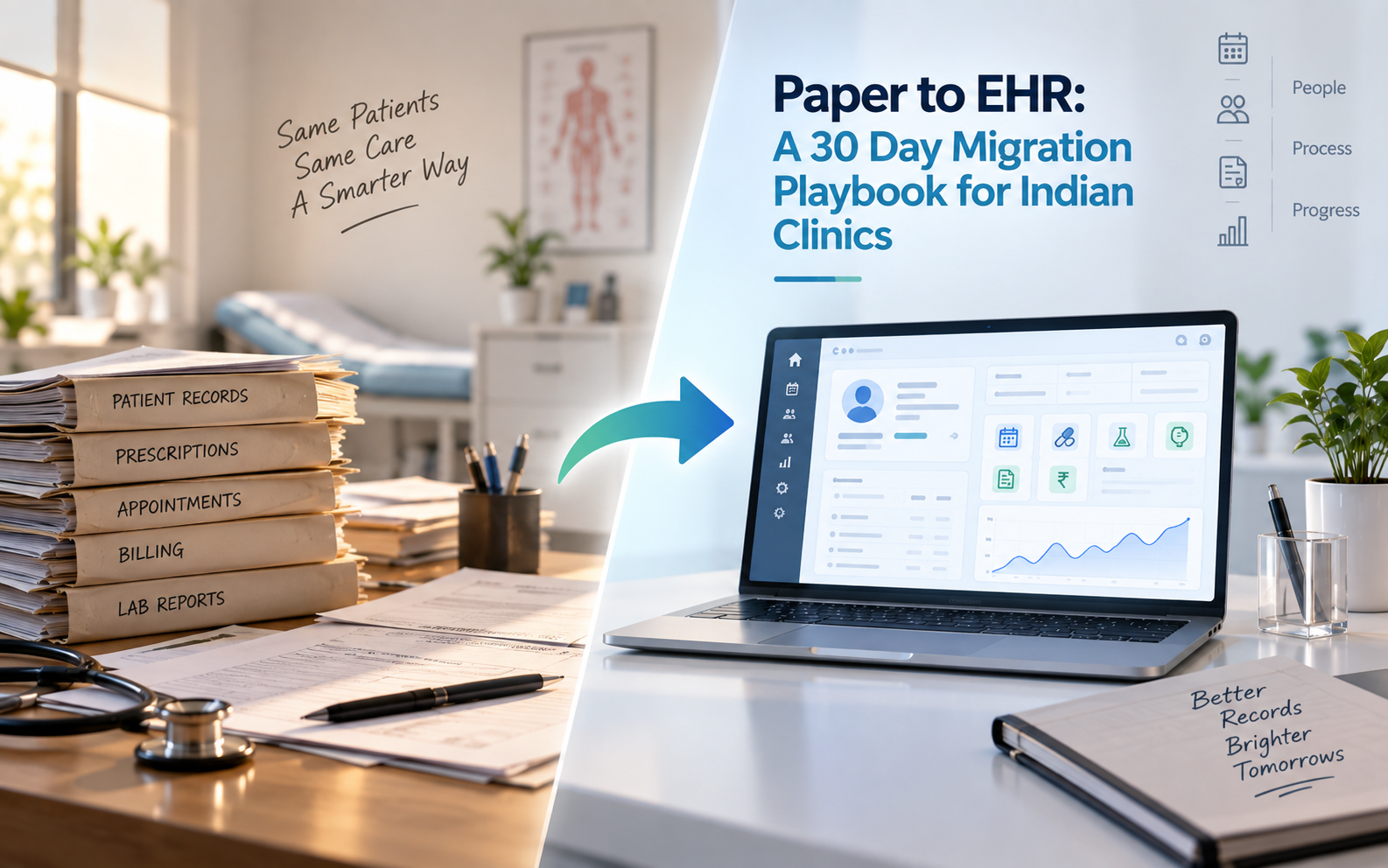
Most Indian clinics that decide to move from paper to EHR software never actually finish the migration. They buy the platform, sit through the demo, run one department for a week, and then quietly slip back to the prescription pad because the front desk got overwhelmed or the senior doctor refused to touch the consultation screen. The problem is almost never the software. It is the EHR migration plan, or the absence of one.
This is a 30 day EHR migration playbook built from real transitions in Indian outpatient practices. It is designed for a single clinic or a small polyclinic with one to ten doctors. Hospitals with IPD, pharmacy, and lab integration need a longer runway, closer to eight to twelve weeks, but the structure below scales. Every week has a goal, a checklist, and the blocker most likely to derail it.
The 30 Day Plan at a Glance
| Week | Goal | Main Activities | Success Signal |
|---|---|---|---|
| 1 | Prep and vendor shortlist | Workflow audit, record inventory, vendor demos | Shortlist of 3 vendors, pilot department chosen |
| 2 | Pilot and data prep | Two week pilot begins, active patient list digitised, master data configured | One doctor writing digital prescriptions daily |
| 3 | Training and parallel run | Structured training, parallel paper plus digital run, workflow gap fixes | All doctors trained, no critical workflow gaps open |
| 4 | Go live and stabilise | Full OPD go live, backup verification, KPI baseline set | Paper registers put away, KPIs being tracked daily |
Week 1: Prep and Vendor Shortlist
Do not touch software this week. Every day spent understanding your own workflow before the demo cycle saves a week of rework later.
- Day 1. Map the current paper workflow end to end. New patient registration, returning patient search, consultation, prescription, billing, follow up scheduling. Write each step on a whiteboard with the average time it takes.
- Day 2. Interview the front desk and one senior doctor separately about their biggest pain. Front desk usually says patient search takes too long. Doctors usually say they cannot find last visit's notes fast enough. Note both.
- Day 3. Count physical records. How many active patient files, how many years of history, how many patients seen in the last six months. This decides the migration workload.
- Day 4. Pick the pilot scope. A single doctor's practice or the OPD front desk is ideal. Avoid pharmacy or lab in week 1 unless they are the primary bottleneck.
- Day 5. Assemble the migration team. Clinic owner, one senior doctor, the receptionist, one billing person, and the vendor implementation lead. Five people, no more.
- Day 6. Shortlist three vendors. Ask for demos with production sized test data, not empty databases. Anyone who cannot demo on a realistic record volume is out.
- Day 7. Vendor demos day. Run all three back to back so the team can compare. Involve the senior doctor. Their reaction to the consultation screen is the single strongest buying signal.
Week 2: Pilot and Data Prep
The vendor is signed. The pilot department starts using the software. Everything else this week is data preparation for the wider rollout.
- Day 8. Pilot begins. One doctor sees all patients through the software. Paper backup allowed for emergencies only. Vendor engineer sits in the clinic for at least four hours a day.
- Day 9. Configure master data. Drug list, doctor list, service list, consultation fees, procedure fees. A good vendor imports the drug database with dosage and frequency helpers already loaded, saving three days of manual entry.
- Day 10. Digitise the active patient list. Patients seen in the last six months only, not the full historical archive. For a solo clinic that is usually 500 to 2,000 records. For a polyclinic, 3,000 to 8,000.
- Day 11. Set up appointment templates. Standard slot lengths per doctor, blocked lunch hours, weekly leaves. Turn on WhatsApp and SMS reminders.
- Day 12. Configure role based access. Receptionist role, doctor role, billing role, owner role. Test each role by logging in as that user and confirming they see only what they should.
- Day 13. Run backup and restore drill. Take a manual backup, then restore it to a test environment. If this fails, escalate immediately. Do not wait until week 4.
- Day 14. End of pilot week 1. Sit with the pilot doctor for 30 minutes. What is faster, what is slower, what is broken. Fix everything on this list before week 3.
Week 3: Training and Parallel Run
Now the wider clinic learns the software. Every doctor and staff member gets structured training. One specialty runs paper plus digital in parallel to catch workflow gaps that the pilot missed.
- Day 15. Front desk training session. Two hours, hands on. Cover new patient registration, returning patient search, appointment booking, and check in. Every receptionist practices each flow twice.
- Day 16. Doctor training session. Ninety minutes, one specialty at a time. Focus on the consultation screen: loading patient history, writing prescriptions, using favourite drug lists, and one click copy of the previous prescription.
- Day 17. Billing training session. Cash, card, UPI, insurance and TPA workflows. Cover the day end reconciliation report specifically. This is where errors compound if untrained.
- Day 18. Parallel run begins in one specialty. Every consultation is entered in both paper and digital for three days. Time consuming, but this is where hidden workflow gaps surface.
- Day 19. Parallel run day 2. Watch for slowdowns. If the digital entry adds more than 90 seconds per consultation, the workflow needs redesign, not more training.
- Day 20. Parallel run day 3. Compare paper and digital patient counts. They must match. Any mismatch is a workflow gap that will haunt you post go live.
- Day 21. Workflow fix sprint. Address every gap identified during parallel run. Common fixes include shortcut keys for the receptionist, template updates for the doctor, or a UPI QR code taped to the billing counter.
Week 4: Go Live and Stabilise
Paper is put away. Every patient across every specialty is handled through the software. The final week focuses on stability, backup verification, and setting the KPI baseline that will show whether the migration actually paid off.
- Day 22. Full OPD go live. All doctors, all specialties, no paper backup except in a documented emergency. Vendor engineer available on call for the entire day.
- Day 23. Day 2 stabilisation. Fix any bottleneck that appeared at the front desk or the billing counter. Small issues at scale become large issues by week end.
- Day 24. Day 3 stabilisation. Confirm every doctor has stopped writing paper prescriptions. If any doctor still is, personal follow up by the owner, not the vendor.
- Day 25. Add IPD, pharmacy, or lab if the clinic runs them. Repeat the pilot plus parallel plus go live pattern in miniature for each. A polyclinic may skip this and stay OPD only.
- Day 26. Verify automated backups are running. Test restore one more time to a separate environment. Confirm the backup schedule matches the retention policy required for NABH or ABDM compliance.
- Day 27. Turn on the KPI dashboard. Baseline the numbers you will track over the next 90 days. Comparison against paper baselines requires the pre migration audit from week 1.
- Day 28. Post go live review meeting. The full team, no vendor. What worked, what still hurts, what to fix in month 2. This meeting alone determines whether the migration sticks.
- Day 29. Update patient facing materials. Business cards, WhatsApp welcome message, mini website, appointment booking link. Digital first is now the identity of the clinic, not just the back office.
- Day 30. Archive the paper registers. Physically move them to a secure cupboard or a scanned digital archive. The visible removal signals to staff and doctors that there is no going back.
What to Measure in the First 90 Days
Migration success is not measured in software adoption. It is measured in patient throughput, revenue captured, and staff time saved. Track the following weekly from day 30 onwards.
- Average time from patient arrival to consultation start, target 40 percent reduction versus paper baseline
- Doctor time per consultation, target flat or 10 percent reduction, never an increase
- Prescription errors reported by pharmacists or patients, target close to zero
- No show rate on scheduled appointments, target 50 percent reduction with automated reminders on
- Daily revenue captured versus daily revenue billed, target 100 percent match, gaps signal billing leakage
- Front desk time spent per patient interaction, target 30 percent reduction
- New patient registrations per day, expect a 15 to 25 percent increase once online appointment booking is live
Quick Wins Visible in the First 30 Days
Migrations lose momentum when staff cannot see the benefit. Make sure these five wins are visible by the end of week 4, and communicate them to the team in the day 28 review.

Digital prescriptions on WhatsApp
Patients receive a clean PDF prescription on WhatsApp instead of a handwritten note that a chemist may misread. A proper EHR software makes this a one click share from the consultation screen, using a drug database that already knows dosage and frequency for common medications.
Fewer no shows through automated reminders
Appointment reminders over SMS and WhatsApp sent one day before and one hour before the visit cut Indian clinic no show rates from the typical 15 to 25 percent range down to under 10 percent within the first month.
Real time revenue visibility
The owner sees the day's revenue, patient count, and doctor payout splits from a mobile dashboard instead of asking the receptionist at 8 PM. This single change closes the accountability loop that paper registers never could.
ABHA lookup for new patients
Every new patient registration includes an ABHA lookup, pulling in demographics and existing health records with patient consent. The Ayushman Bharat Digital Mission now provides this infrastructure at no cost. Clinics that turn it on early become the default choice for patients who value continuity of care.
Consolidated patient search across visits
A returning patient's full three year history loads in three seconds instead of the ten minutes required to fetch a paper file from the storage rack. On a busy OPD day this alone saves 90 minutes of doctor time.
Frequently Asked Questions
How long does EHR migration really take for a clinic
For a solo clinic or small polyclinic, EHR migration takes 30 days if the team commits to the playbook above. A hospital with IPD, pharmacy, and lab integration needs eight to twelve weeks. Clinics that try to do it in one weekend or drag it across three months almost always fail. The 30 day timeline is the sweet spot for outpatient practices.
What does it cost to migrate from paper to EHR software in India
Software subscription for a solo clinic runs 15,000 to 40,000 rupees per year. Polyclinics pay 60,000 to 2 lakh rupees per year. Add one time implementation and data migration of 20,000 to 1 lakh rupees depending on volume. A good vendor bundles training and initial configuration into the subscription, so ask what the total year one cost is, not just the license fee.
Do I need to digitise all my old patient records
No. Digitise only patients seen in the last six months as part of the 30 day plan. Older paper records can stay in physical storage and be scanned on demand when a patient returns. Trying to digitise ten years of history in month one kills the timeline and adds no clinical value.
What happens if a doctor refuses to use the EHR after go live
Personal follow up by the clinic owner, not the vendor. Most refusals trace to a workflow gap specific to that doctor, not a general software problem. A short walkthrough with the vendor's clinical lead usually resolves it. If not, the owner may need to make continued paper prescriptions financially disadvantageous, for example by routing billing only through the digital system. A well configured EHR software makes the digital path faster than paper within two weeks, which usually settles the debate.
Can a solo doctor complete EHR migration without dedicated IT support
Yes, if the vendor provides a dedicated implementation manager for the 30 day window. Cloud based platforms remove the need for local IT because backups, updates, and security patches are handled by the vendor. The doctor and one staff member are enough on the clinic side, provided the vendor is present through week 2 and available on call in week 4.
Is it better to migrate all specialties at once or one at a time
For a polyclinic with more than five doctors, roll out one specialty at a time following the same 30 day playbook per specialty, staggered by one week. This spreads the training load, isolates workflow issues, and lets each specialty learn from the previous one's blockers. Solo clinics and clinics with fewer than five doctors should do everyone in one 30 day sprint.
Ready to Start Your 30 Days
The best time to start this EHR migration playbook is a low season week when patient volume is lower than average. In most Indian clinics that is late July, mid January, or the week after Diwali. Pick your week, block the calendars of the five person migration team, and commit to the day one workflow audit before anything else.
SlateBiz builds CuraBiz, a unified healthcare platform used by Indian doctors, clinics and polyclinics, and hospitals as their EHR software of record. CuraBiz supports ABHA lookup, ABDM consent workflows, WhatsApp digital prescriptions, appointment reminders, pediatric growth charts, immunisation scheduling, and Panchkarma workflows, all on a single database. It is built on Java and Oracle with SHA 512 password hashing, Apache Shiro session security, and OWASP hardening. The SlateBiz implementation team has run this exact 30 day EHR migration playbook in outpatient practices across North and West India and can join your migration from week 1.
Reach out at info@slatebiz.com or call +91 92573 73668, or visit slatebiz.com to book a walkthrough.